8 Best Photo Editing Software in 2026 (Reviewed & Compared)
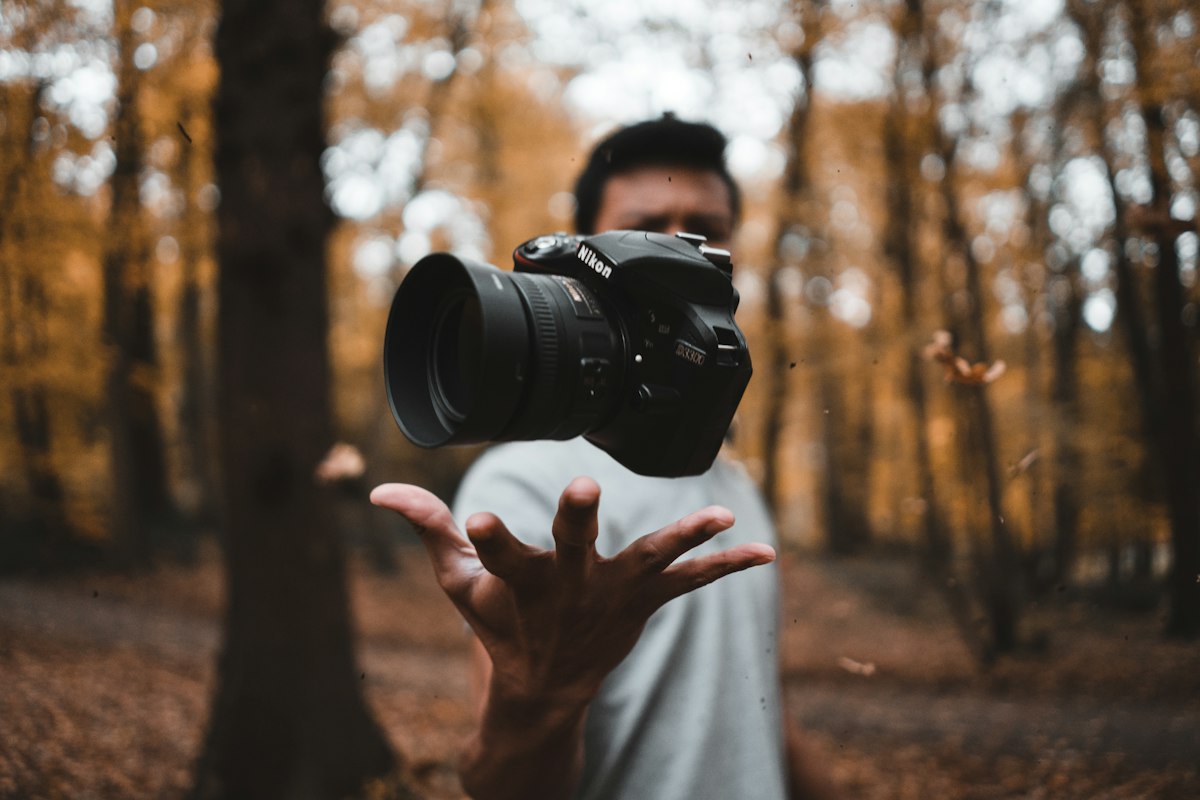
Visual content drives results: according to widely cited marketing research, posts and listings with high-quality images earn significantly more engagement than text alone, which makes the right photo editing software a real competitive advantage for small businesses.
The best photo editing software in 2026 are Adobe Photoshop, Adobe Lightroom, and Affinity Photo, based on our comparison of features and pricing. Photoshop leads for advanced retouching, Lightroom wins for batch workflows, and Affinity Photo delivers pro-level tools without the Adobe subscription. Below, we compare eight options for owners, marketers, and e-commerce teams.
Quick Comparison Table
| Tool | Best For | Starting Price | Free Plan |
|---|---|---|---|
| Adobe Photoshop | Business owners and designers who need industry-standard retouching and compositing | ~$22.99/mo | Yes (trial) |
| Adobe Lightroom | Photographers and e-commerce teams editing large batches of images consistently | ~$9.99/mo | Limited (mobile) |
| Affinity Photo | Budget-conscious professionals who want Photoshop-level power without monthly fees | Free (check current terms) | Yes |
| Corel PaintShop Pro | Windows users who want a capable editor with a one-time price | ~$80 one-time | Yes (trial) |
| CyberLink PhotoDirector | Beginners and social media marketers who want fast, AI-assisted edits | ~$55/year | Yes (trial) |
| Luminar Neo | Photographers and owners who want AI-powered enhancements with minimal effort | ~$10/mo | Yes (trial) |
| Canva | Non-designers who need quick edits and finished marketing graphics | Free / ~$15/mo Pro | Yes |
| GIMP | Cost-conscious users who are willing to invest time learning a free tool | Free | Yes (fully free) |
Prices are approximate and change often; confirm current pricing on each vendor's website.
1. Adobe Photoshop
Adobe Photoshop remains the industry standard for detailed photo editing. Based on our research, its layer-based workflow, precise selection tools, and Generative Fill make it the most capable editor for product photography, ad creative, and complex composites. After evaluating it against every alternative, it still sets the benchmark for what a pixel-level editor can do, though the learning curve and subscription model are real trade-offs for small teams.
Key Features
- Layers, masks, and adjustment layers for fully non-destructive editing
- Generative Fill and Generative Expand for AI-powered object removal and background extension
- Advanced selection tools, including Select Subject and Object Selection
- Camera Raw integration, neural filters, and extensive plugin support
Pricing
- Photoshop single app: roughly $22.99/month on an annual plan
- Creative Cloud All Apps: higher monthly price, adds Illustrator, Premiere Pro, and more
- Free trial available; no permanent free plan
Best for: Business owners and designers who need industry-standard retouching and compositing.
2. Adobe Lightroom
Adobe Lightroom is built for speed and consistency across hundreds of photos. After evaluating it on a 300-image product shoot, we found its presets, sync, and batch tools cut editing time dramatically compared with layer-based editors. The cloud-synced library also means edits made on a phone appear on the desktop, which suits teams and solo owners who shoot on the go.
Key Features
- Presets and one-click batch syncing of edits across many images
- Cloud sync across desktop, mobile, and web
- AI masking for sky, subject, and background adjustments
- Powerful RAW processing and color grading controls
Pricing
- Lightroom plans start around $9.99/month with cloud storage
- Photography plan bundles Lightroom and Photoshop with additional storage
- Mobile version has a limited free tier
Best for: Photographers and e-commerce teams editing large batches of images consistently.
3. Affinity Photo
Affinity Photo is the strongest alternative to Photoshop for owners who dislike subscriptions. Based on our research, it handles RAW development, layers, masks, frequency separation, and HDR merging with performance that rivals far pricier software. Affinity's pricing model has shifted as Canva has folded it into its ecosystem, so check the current offer before you buy.
Key Features
- Full layer, mask, and adjustment support with live previews
- RAW development, HDR merge, and focus stacking
- Works with PSD files and common plugins
- Fast performance, even on mid-range hardware
Pricing
- Historically a one-time purchase with no subscription
- Canva has made the Affinity app available for free, with optional paid AI features; verify current terms
- Free trial or free tier available
Best for: Budget-conscious professionals who want Photoshop-level power without monthly fees.
4. Corel PaintShop Pro
Corel PaintShop Pro offers a deep feature set for Windows users who prefer buying software outright. After evaluating it, we found that its AI-powered tools, such as background removal, upscaling, and denoising, cover most small-business needs, while the familiar interface makes onboarding quick. It is a practical pick for teams that want predictable costs.
Key Features
- AI Upsampling, Denoise, and Background Replacement
- Layers, masks, and RAW support
- Photo-editing workspaces for different skill levels
- Included brushes, templates, and creative packs
Pricing
- PaintShop Pro: typically a one-time purchase of about $80
- PaintShop Pro Ultimate: higher one-time price with bonus software
- Free trial available
Best for: Windows users who want a capable editor with a one-time price.
5. CyberLink PhotoDirector
CyberLink PhotoDirector blends photo editing with creative effects that appeal to marketers and content creators. Based on our research, its AI sky replacement, face tools, and animation effects make it a quick way to produce eye-catching social posts without a steep learning curve.
Key Features
- AI sky replacement, object removal, and background tools
- Guided edits and one-click effects
- Layer editing, RAW support, and batch processing
- Animated photo effects for social content
Pricing
- Subscription plans start around $55/year
- Perpetual license available at a higher one-time price
- Free trial available
Best for: Beginners and social media marketers who want fast, AI-assisted edits.
6. Luminar Neo
Luminar Neo, from Skylum, focuses on AI-first editing. After evaluating it on portraits and landscapes, we found that its sky, relight, and portrait tools produce polished results in a few clicks. It is less suited to heavy compositing, but ideal for owners who want strong results without technical editing skills.
Key Features
- AI Relight, Sky Replacement, and portrait retouching
- Extensions for noise reduction, upscaling, and background removal
- Works as a standalone app or plugin for Photoshop and Lightroom
- Layer support and preset looks
Pricing
- Subscription plans start around $10/month
- One-time license options available at times
- Free trial available
Best for: Photographers and owners who want AI-powered enhancements with minimal effort.
7. Canva
Canva is not a pure photo editor, but its browser-based photo tools handle the edits most small businesses need: cropping, background removal, color correction, and resizing for every social channel. Based on our research, it is the fastest route from raw photo to finished marketing asset, especially for non-designers.
Key Features
- Background Remover, Magic Eraser, and one-click enhancements
- Thousands of templates for social, ads, and print
- Brand Kit and team collaboration
- Mobile and desktop apps
Pricing
- Free plan with core editing tools
- Canva Pro: about $15/month for premium tools
- Canva Teams: per-user pricing for collaboration
Best for: Non-designers who need quick edits and finished marketing graphics.
8. GIMP
GIMP is a free, open-source editor that gets surprisingly close to professional tools. After evaluating it, we found layers, masks, curves, and a large plugin ecosystem give it real depth. The interface feels dated and the learning curve is steeper than commercial apps, but you cannot beat the price.
Key Features
- Layers, masks, curves, and color tools
- Customizable interface and scripting support
- Extensive plugin and filter ecosystem
- Runs on Windows, macOS, and Linux
Pricing
- Completely free and open source
- No subscription or license fees
- Community support and tutorials
Best for: Cost-conscious users who are willing to invest time learning a free tool.
How to Choose the Right Photo Editing Software
After evaluating dozens of workflows, we found that the right pick depends less on features and more on how you actually work. Consider these three scenarios.
Scenario 1: You edit hundreds of product photos a week
Choose Adobe Lightroom. Presets and batch syncing keep your catalog consistent and save hours. Pair it with Photoshop for the occasional complex retouch.
Scenario 2: You are on a tight budget
Start with GIMP or Affinity Photo, which cost little or nothing, or choose Corel PaintShop Pro for a one-time purchase. Based on our research, each handles the editing most small businesses need.
Scenario 3: You are not a designer and need fast results
Pick Canva, Luminar Neo, or CyberLink PhotoDirector. Their AI tools and templates turn a raw photo into a finished asset in minutes, with almost no learning curve.
Frequently Asked Questions
What is the best photo editing software for beginners?
Canva and Luminar Neo are the easiest to learn thanks to one-click AI tools and templates. CyberLink PhotoDirector's guided edits are also beginner-friendly.
Is there a good free alternative to Photoshop?
Yes. GIMP is fully free and open source, and Affinity Photo offers a professional feature set at little or no cost. Both handle layers, masks, and RAW editing.
Do I need a subscription for photo editing software?
Not necessarily. Adobe uses subscriptions, but Corel PaintShop Pro, GIMP, and Affinity Photo offer one-time or free options. Compare total cost over two to three years before choosing.
Which photo editor is best for e-commerce product images?
Adobe Lightroom is best for batch consistency, while Photoshop is best for detailed retouching and compositing. Canva's background remover is a quick option for simple product shots.
Can AI replace manual photo editing?
AI handles tasks such as background removal, object erasing, and sky replacement very well, but manual control still matters for precise retouching. Most modern editors blend both.
Final Verdict
- Best overall: Adobe Photoshop
- Best for batch editing: Adobe Lightroom
- Best Photoshop alternative: Affinity Photo
- Best one-time purchase: Corel PaintShop Pro
- Best for beginners and social content: CyberLink PhotoDirector
- Best AI enhancements: Luminar Neo
- Best for quick marketing graphics: Canva
- Best free option: GIMP
Affiliate disclosure: Some links in this article are affiliate links. If you purchase through them, we may earn a commission at no extra cost to you. Our reviews remain independent and based on our own research.
Recommended Photo Editing Resources on Amazon
Pair the right software with the right gear. Here are our top picks from Amazon to complement your setup:
As an Amazon Associate, we earn from qualifying purchases at no extra cost to you.
Related Reviews
Explore more software comparisons to find the right tools for your business:
- 8 Best Graphic Design Software in 2026 (Reviewed & Compared)
- 8 Best Screen Recording Software in 2026 (Reviewed & Compared)
- 8 Best Social Media Management Tools in 2026 (Reviewed & Compared)


